
 Account and Billingless than a minute read
How to Transfer Services
Learn about How to Transfer Services for VPS, Dedicated Servers, and Game Hosting on Atomic Networks services.

Atomic Networks Staff
Transferring a Service to Another User - Atomic Networks
Transferring a service to another user can be done by doing the following…
Step 1: Open a Billing Ticket
Step 2: Select the related service you'd like to transfer.
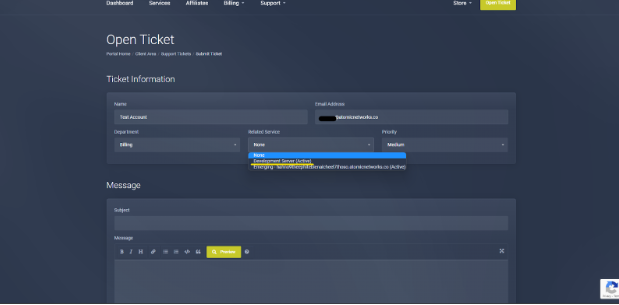
Step 3: Include the email of the person you would like to have your service transferred to.
Note: The person you are transferring your service over to must have an account on record with the email you provide. Before opening the request, make sure the person you are giving your service to has gone to https://billing.atomicnetworks.co/ to set up their profile.