 Garry's Modless than a minute read
How to Add Country Flag to GMod Server
Learn about how to setup automatic workshop downloading for addons on your GMod server with Atomic Networks.

Step 1: Navigate to Atomic Panel
Click here to navigate to Atomic Panel. You can log in using your account credentials that you received following checkout. The credentials email is sent to the email address on file in the Billing Panel.
Step 2: Navigate to the File Manager Tab Under Management
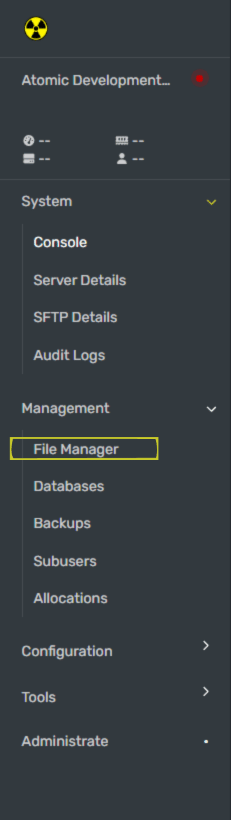
In the file manager, navigate to the pathway called /home/container/garrysmod/cfg/server.cfg
Step 3: Set sv_location in the server.cfg File
The sv_location convar is the country location that you set your flag to. If you have not deleted lines on your server.cfg file yet, you will find this variable around Line 10 of the server.cfg file. You can also use Ctrl + F to search for the name.
Once you have located the convar, grab the ISO code for the country you want to be shown on the server browser. ISO codes are 2 letter symbols used to represent a country on the internet, you can find a list of them here.
The most common ISO codes used on the server browser are:
- United States (US)
- Great Britain (GB)
- Australia (AU)
- France (FR)
- Russia (RU)
- European Union (EU)
Once you have copied your ISO code, paste the ISO code between the Quotation Marks (" ") on the line.
Once you have set your server name, click the Save File button to save your changes.
Step 4: Restart Your GMod Server
Once you have configured your auto downloaded workshop addons, restart your GMod server for the workshop addons to work.
If you're following along with our how to make a GMod server guides, you are all done with the required setup! You can now proceed to our gamemode setup guides. Additionally, you can also read more in our "Optional Setup" section if you want to learn more about running a GMod server the right way.